How to Fix a 404 Page Not Found Error
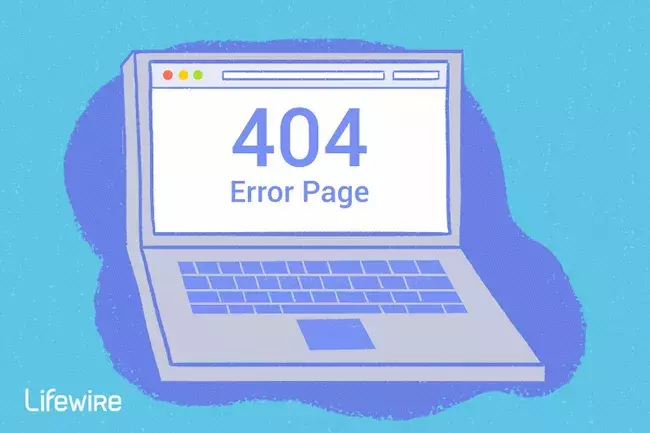
A 404 error is an HTTP status code that means that the page you were trying to reach on a website couldn't be found on their server.
To be clear, the error indicates that while the server itself is reachable, the specific page showing the error is not.
404 Not Found error messages are frequently customized by individual websites. So, keep in mind that the error might show up in just about any way imaginable depending on what website it's shown from.
How You Might See the 404 Error
Here are some common ways in which you might see the HTTP 404 error displayed:
- 404 Error
- 404 Not Found Error
- 404 The requested URL [URL] was not found on this server
- HTTP 404
- Error 404 Not Found
- 404 File or Directory Not Found
- HTTP 404 Not Found
- 404 Page Not Found
- Error 404. The page you're looking for can't be found.
These error messages can appear in any browser or any operating system. Most display inside the browser window just as web pages do.
Cause of HTTP 404 Errors
Technically, an Error 404 is a client-side error, implying that it's your mistake, either because you typed the URL incorrectly or the page has been moved or removed from the website and you should have known.
Another possibility is if a website has moved a page or resource but did so without redirecting the old URL to the new one. When that happens, you'll receive a 404 error instead of being automatically routed to the new page.
How to Fix the 404 Not Found Error
1. Retry the web page by pressing F5, clicking/tapping the refresh/reload button, or trying the URL from the address bar again. The 404 Not Found error might appear for several reasons even though no real issue exists, so sometimes a simple refresh will often load the page you were looking for.
2. Check for errors in the URL. Often times this error appears because the URL was typed wrong or the link that was selected points to the wrong URL.
3. Move up one directory level at a time in the URL until you find something. For example, if www.web.com/a/b/c.htm gave you the 404 Not Found error, move up to www.web.com/a/b/. If you get nothing here (or an error), move up to www.web.com/a/. This should lead you toward what you're looking for or at least confirm that it's no longer available.
4. Search for the page from a popular search engine. It's possible that you simply have the entirely wrong URL in which case a quick Google or Bing search should get you where you want to go. If you do find the page you were after, update your bookmark or favorite to avoid the HTTP 404 error in the future.
5. Clear your browser's cache if you have any indication that the 404 message might just be yours. For example, if you can reach the URL from your phone but not from your tablet, clearing the cache on your tablet's browser might help. You might also consider clearing your browser's cookies or at least the one(s) involved with the website in question if clearing the cache didn't work.
6. Change the DNS servers used by your computer, but usually only if an entire website is giving you a 404 error, especially if the website is available to those on other networks (e.g., your mobile phone network or a friend in another city).
7. Contact the website directly. If they've removed the page you're after then the 404 error is completely legitimate and they should be able to tell you that. If they've moved the page and are generating errors instead of redirecting visitors to the new page, they'll be happy to hear from you so they can go fix it.
- Finally, if all else fails, wait. No, it's not fun, but it might be your only course of action, especially if you're confident the 404 error shouldn't be happening (i.e., the page really should be at the URL you have and others are having the same problem and find it equally strange).
Errors Similar to Error 404
Some other client-side error messages related to the 404 Not Found error include 400 Bad Request, 401 Unauthorized, 403 Forbidden, and 408 Request Timeout. Several server-side HTTP status codes also exist, like the popular 500 Internal Server Error.
Note
- This article is not made by Marcus Kwoon. It is simplified from LifeWire. Check out the original article here.
- 404 Image by LifeWire.